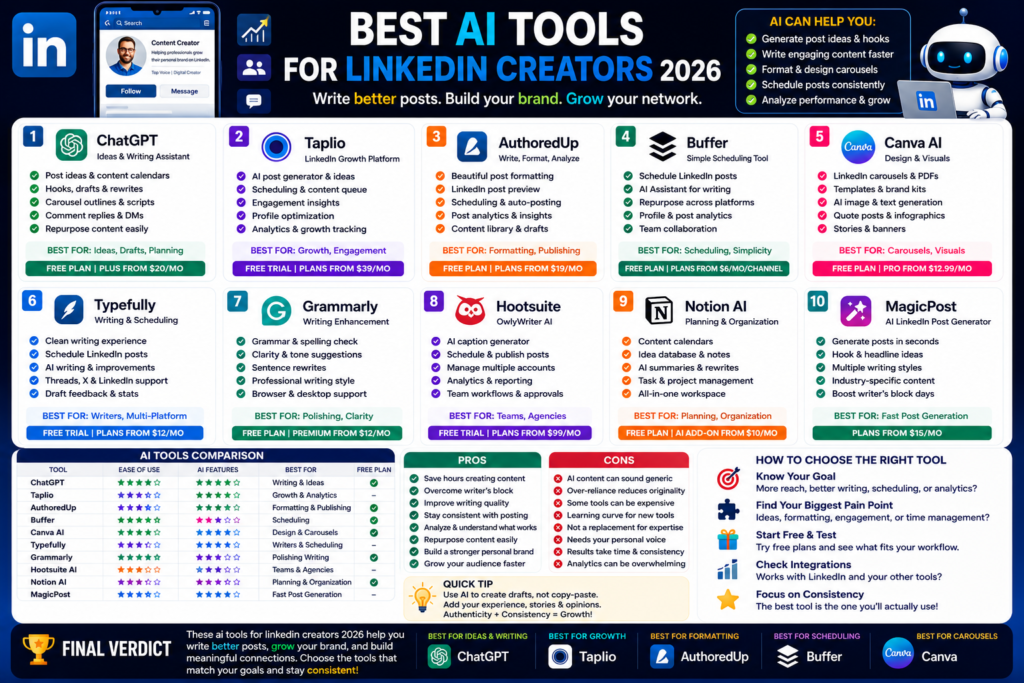
Best AI Tools for LinkedIn Creators 2026
Best AI Tools for LinkedIn Creators 2026: Write Better Posts, Grow Your Brand, and Save Time...
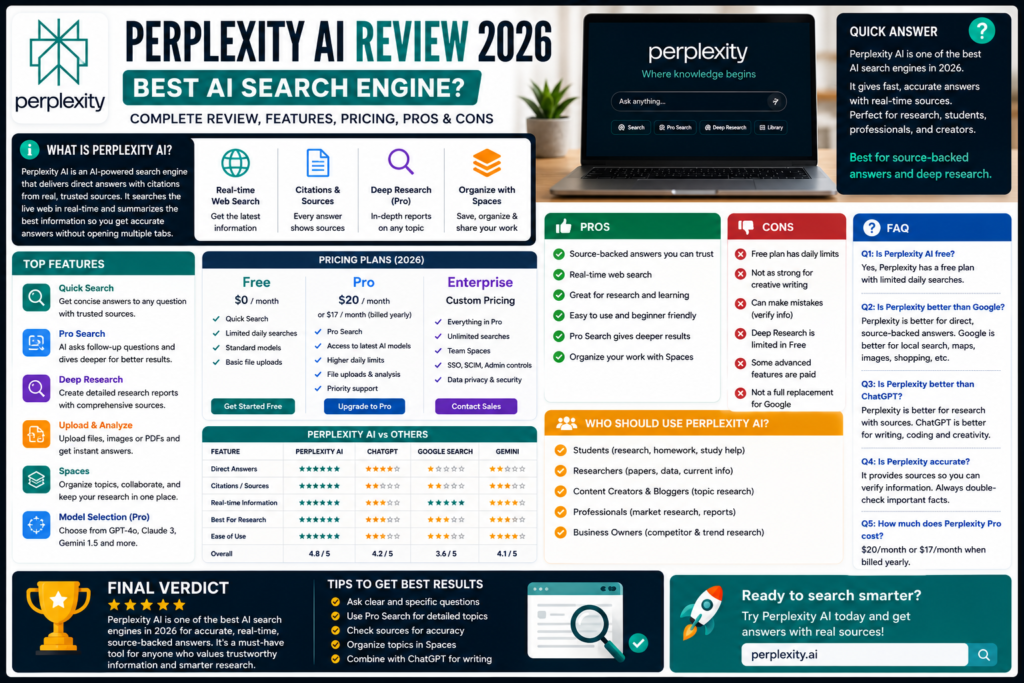
Quick Answer:
Perplexity AI is one of the best AI search engines in 2026 if you want fast answers with sources. It is especially useful for research, news, product comparisons, learning, business questions, and fact-checking. ChatGPT is better for creative writing, but Perplexity is better when sources matter.
This perplexity ai review 2026 is important because search is changing fast.
For years, we searched Google, opened ten tabs, compared websites, skipped ads, and tried to figure out which answer was actually useful.
Perplexity feels different.
It works more like an AI search engine or AI answer engine. You ask a question, and it gives you a direct answer with citations. That means you can read the answer quickly and still check the original sources.
Honestly, that is the main reason I like it.
Perplexity describes itself as an AI-powered search engine that gives conversational answers backed by verifiable sources. It also says each response includes citations and links to original sources, so users can verify information and explore topics deeper.
Here is the thing. Perplexity is not trying to be the best creative writing tool. It is not trying to replace every AI chatbot.
It is best when you want reliable information, current research, and source-backed answers.
The biggest difference is simple.
Perplexity gives answers with sources.
Traditional search engines usually give you a list of links. You still need to open pages, compare them, and build your own answer.
Perplexity does more of that work for you. It searches, summarizes, and cites the sources it used.
Perplexity’s own help page says traditional search engines show lots of links, while Perplexity works more like an intelligent research assistant that gives precise knowledge with fewer extra clicks.
That is useful when you’re busy.
Perplexity AI was built by Perplexity.
The product has become popular because it focuses strongly on search, research, citations, and current information.
In simple words, Perplexity is a ChatGPT alternative for people who care more about sources than creative output.
That does not mean ChatGPT is bad. ChatGPT is still stronger for writing, brainstorming, coding help, and image generation.
But for search-style answers, Perplexity is excellent.
Perplexity has grown a lot. It is no longer just a simple AI search box.
It now includes regular search, Pro Search, Deep Research, file features, Spaces, model selection, and more advanced tools depending on your plan.
This is Perplexity’s main strength.
Every good answer needs trust. And in 2026, trust matters more than ever because AI tools can sound confident even when they are wrong.
Perplexity helps by showing citations.
You can click sources, check claims, compare information, and decide whether the answer makes sense.
Perplexity says its answers are supported by citations from reputable news organizations, academic publications, and established content sources.
That makes it useful for:
In my experience, this is where Perplexity beats many normal chatbots.
Pro Search is one of Perplexity’s most useful features.
Regular search gives quick answers. Pro Search goes deeper.
Perplexity describes Pro Search as a guided AI search experience that helps users explore topics in depth. It can ask follow-up questions, consider preferences, dive deeper, and give more focused results.
This is helpful when your question is not simple.
For example, don’t just ask:
“What is the best laptop?”
Ask:
“What is the best lightweight laptop under $1,200 for a college student who writes papers, uses Chrome heavily, and wants long battery life?”
That kind of detailed question works better.
Perplexity also offers deeper research features.
On its pricing page, Perplexity describes Deep Research as in-depth research reports on any topic. The same page lists Deep Research query limits across plans, which shows it is treated as a more advanced research feature.
This is useful if you need a more complete report.
For example:
The truth is, Deep Research is not something every casual user needs every day.
But if you write reports, run a business, study, or create research-heavy content, it can save time.
Perplexity also lets users organize research.
Its help page says users can organize content in Spaces by project or topic, invite contributors, adjust privacy settings, and add prompts and files to a Space.
That makes it more useful for ongoing work.
Instead of asking random questions one by one, you can keep research around a specific project.
For example, you can create Spaces for:
This is where Perplexity starts feeling more like a research workspace.
Pricing is one of the biggest questions people ask.
The good news is that Perplexity has a free version, and many people can start without paying.
The paid plans make sense if you research often, need deeper answers, or want access to better models and more limits.
Perplexity can be used for basic AI search.
The free version is good if you want quick answers with sources, simple research, and casual browsing.
It is enough for:
But if you use Perplexity every day, the free plan may feel limited.
That is normal. Most serious AI tools now have free access with usage limits.
Perplexity Pro is the main paid plan for individual users.
Perplexity’s pricing information lists Pro at $20/month or $200/year, and the annual page also shows it as $17/month when billed annually. Pro includes access to latest AI models, model selection across GPT, Claude, Gemini and more, deeper sourcing, and usage limits designed for most users.
I think Pro is worth it if you use Perplexity for serious research.
For example, if you are a blogger, student, marketer, founder, analyst, or freelancer, Pro can save hours.
But if you only ask a few questions a week, stay free.
Perplexity also offers business plans.
Enterprise Pro is listed at $40/month per seat or $400/year, while Enterprise Max is listed at $325/month per seat or $3,250/year. Enterprise features include team search, work app search, admin controls, SSO/SCIM, user management, and stronger data controls.
Most normal users do not need this.
Enterprise plans are for teams, companies, research departments, and organizations that need secure AI search across files and work apps.
Now let’s compare Perplexity with other popular tools.
Because honestly, most people are not asking, “Is Perplexity good?”
They are asking, “Should I use Perplexity instead of ChatGPT or Google?”
ChatGPT is better for creative work.
Use ChatGPT for:
Perplexity is better for source-backed research.
Use Perplexity for:
So the winner depends on your task.
My honest opinion: use both.
Use Perplexity to research. Use ChatGPT to write.
Google is still powerful.
It gives you access to the whole web. It is great for finding websites, local businesses, maps, shopping results, forums, images, and videos.
But Perplexity is better when you want a direct answer with sources.
Google gives you pages.
Perplexity gives you a researched answer.
That is the difference.
I still use Google for local searches, image searches, shopping, and checking official websites. But for research questions, Perplexity is faster.
Gemini is better if you live inside Google apps.
If you use Gmail, Docs, Drive, Android, and Google Workspace every day, Gemini can feel more connected.
Perplexity is better when your main goal is research with sources.
Gemini is an assistant.
Perplexity is a search-focused research tool.
Claude is better for long writing and document-style answers.
Perplexity is better for research and citations.
If you need to write an article naturally, use Claude or ChatGPT.
If you need to gather sources before writing, use Perplexity.
That workflow makes sense.
| Tool | Best For | Free Plan | Paid Value | Main Weakness |
|---|---|---|---|---|
| Perplexity AI | Research with sources | Yes | Strong for research | Less creative than ChatGPT |
| ChatGPT | Writing, coding, productivity | Yes | Very strong | Sources need checking |
| Google Search | Finding websites and local info | Yes | Free | Requires more manual research |
| Gemini | Google app users | Yes | Strong for Google users | Writing can vary |
| Claude | Natural writing and long documents | Yes | Strong | Less search-focused |
| Microsoft Copilot | Microsoft 365 users | Yes | Good for Office users | Best inside Microsoft tools |
Perplexity does not replace every tool.
But for research, it is one of the best.
Perplexity has a lot of strengths.
In my experience, Perplexity is best when you need fast clarity.
It helps you understand a topic without getting lost in search results.
Perplexity also has weaknesses.
Here is the thing. Perplexity is not magic.
It is a research assistant.
Use it that way, and it becomes very helpful.
Perplexity is a great fit for people who need answers with sources.
Students can use Perplexity for topic research, paper outlines, source discovery, study explanations, and current information.
It is especially useful when you need citations.
But don’t copy answers blindly. Use it to understand topics and find sources.
For research papers, always check the original source before citing anything.
Bloggers can use Perplexity before writing.
For example, you can research:
This is useful for SEO content.
If you write articles for a site like AI Daily Tool, Perplexity can help with source discovery and fact-checking.
Then you can use ChatGPT or Claude to turn the research into a better draft.
Business owners can use Perplexity for quick market research.
Marketers can use it for competitor research, customer pain points, product positioning, and current trends.
For example, you can ask:
“What are the top complaints customers have about AI writing tools in 2026?”
Or:
“Compare three project management tools for a small remote team.”
That kind of research can help with content, ads, sales pages, and product decisions.
Professionals can use Perplexity for work research.
It helps with:
Enterprise users can also search across web, team files, and work apps depending on plan.
That makes it more useful for organizations.
Yes, Perplexity AI is worth it in 2026 if you need research with sources. It is especially useful for students, bloggers, professionals, marketers, researchers, and business owners.
Yes, Perplexity has free access for basic AI search. Heavy users may want Perplexity Pro for more usage, stronger models, deeper sourcing, and advanced research features.
Perplexity Pro is listed at $20/month or $200/year, with the annual page showing $17/month when billed annually.
Perplexity is better for research with sources. ChatGPT is better for writing, brainstorming, coding, creative work, and general productivity. Many users should use both.
Perplexity is better when you want a direct answer with citations. Google is still better for local searches, maps, shopping, images, videos, and exploring lots of websites manually.
So, what is my honest take after this perplexity ai review 2026?
Perplexity AI is one of the best AI search engines available right now.
It is fast, source-backed, easy to use, and genuinely helpful for research. It does not replace ChatGPT for writing. It does not replace Google for everything. But when you need quick answers with citations, it is excellent.
The free version is good for casual users.
Perplexity Pro is worth it if you research often, write content, study, work in business, or need deeper answers.
My simple advice is this.
Use Perplexity when accuracy and sources matter. Use ChatGPT or Claude when you need better writing. Use Google when you need maps, shopping, images, videos, or official websites.
That combination works best.
For more honest guides like this perplexity ai review 2026, keep reading AI Daily Tool for practical AI tool reviews, comparisons, and beginner-friendly recommendations.
Best AI Tools for LinkedIn Creators 2026: Write Better Posts, Grow Your Brand, and Save Time...
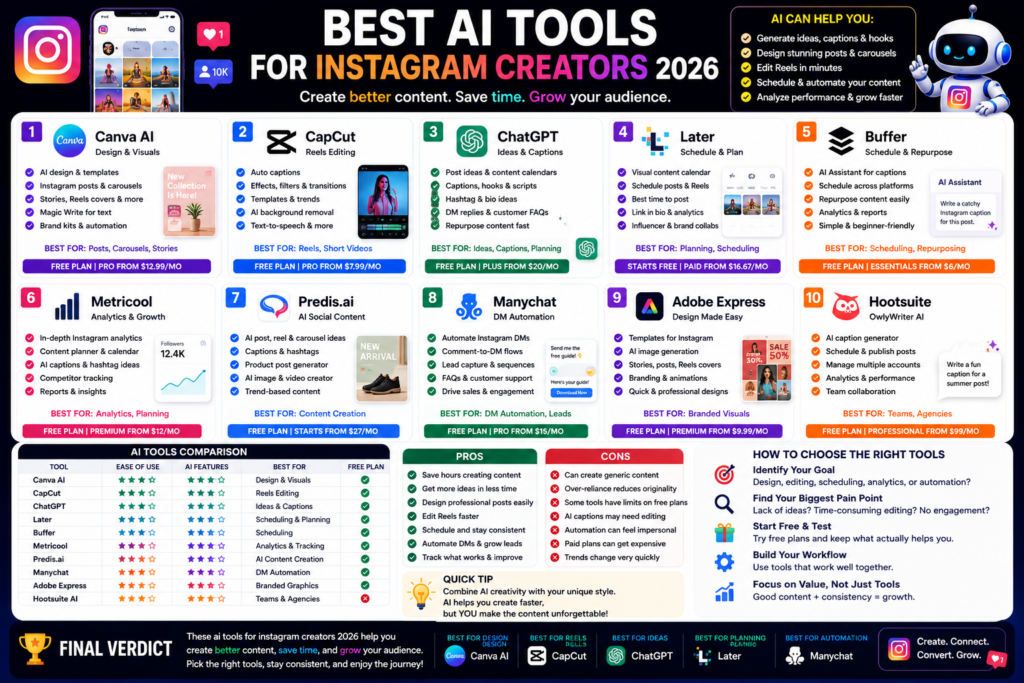
Best AI Tools for Instagram Creators 2026: Create Better Posts, Reels, and Carousels Faster Quick Answer:...
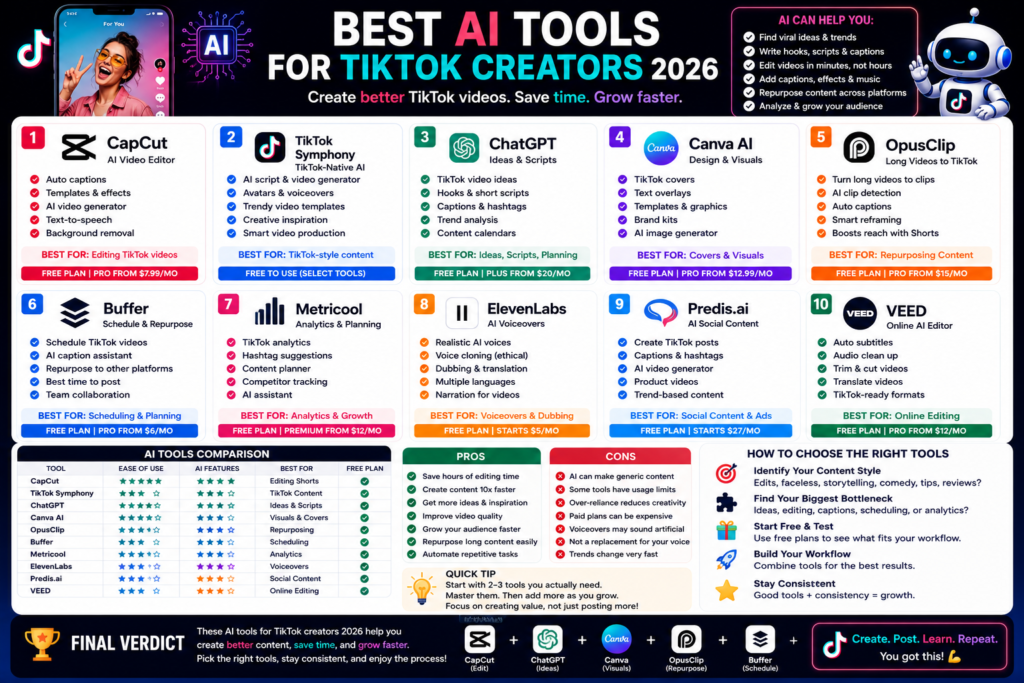
Best AI Tools for TikTok Creators 2026: Create Faster, Edit Smarter, and Grow Your Audience Quick...
Leave a Comment