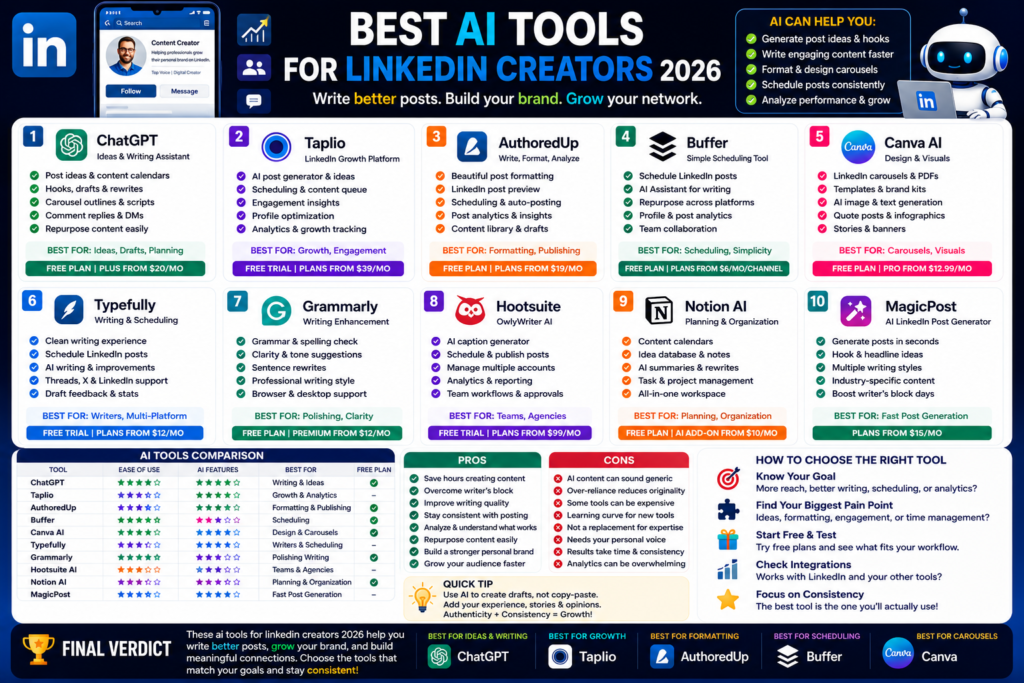
Best AI Tools for LinkedIn Creators 2026
Best AI Tools for LinkedIn Creators 2026: Write Better Posts, Grow Your Brand, and Save Time...
Quick Answer:
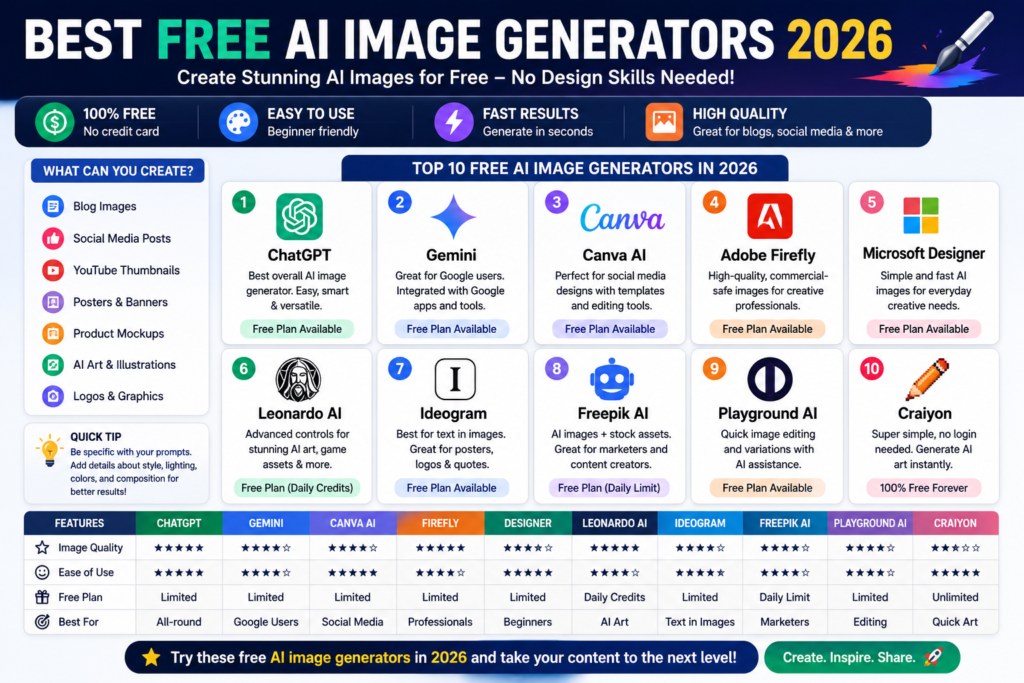
The best free AI image generators 2026 are ChatGPT, Gemini, Canva AI, Adobe Firefly, Microsoft Designer, Leonardo AI, Ideogram, Freepik AI, Playground AI, and Craiyon. ChatGPT is best overall, Canva is best for social media designs, Ideogram is great for text in images, and Craiyon is best for quick no-login experiments.
The best free AI image generators 2026 are much better than the early AI art tools we used a few years ago.
Back then, AI images looked strange. Hands were weird. Text was broken. Faces looked fake. And honestly, most images were not good enough for real websites or social media.
Now things are different.
A good AI image generator can help you create blog feature images, YouTube thumbnails, Instagram graphics, product mockups, posters, AI art, and website visuals in minutes. You don’t always need Photoshop skills. You don’t always need a designer. You just need a clear prompt and the right tool.
Here is the thing. Free plans are not unlimited. Some tools give daily credits. Some give monthly credits. Some add watermarks. Some make your images public. So the best free tool depends on what you need.
In this guide, I’ll keep it practical. No hype. Just the AI image tools I think are actually worth testing.
Not every free AI art generator is useful.
Some tools are free, but the quality is weak. Some generate nice art, but the free plan is too limited. Others are good for design, but not great for realistic images.
The first thing that matters is image quality.
A good text to image AI tool should create images that look clean, sharp, and usable. If you need blog graphics or social media posts, the image should not look messy or fake.
Look for tools that handle:
In my experience, ChatGPT, Gemini, Adobe Firefly, Canva, and Leonardo are strong for general image quality.
The second thing is the free plan.
A tool is not really “free” if it gives you one image and then forces you to pay.
Most free AI image generators use credits, daily limits, or slower queues. That is normal.
For example, ChatGPT’s free plan includes limited image generation, while paid plans give broader image generation access. Leonardo says free users get a daily token allowance that resets daily.
So before choosing a tool, check how many images you can create for free.
This part matters if you create images for clients or business.
Some free tools make generated images public. Some free plans may not be ideal for commercial use. Some paid plans unlock private generations or better license terms.
If you only make fun images, this is not a big issue.
But if you are creating visuals for a brand, ecommerce store, client website, or paid ad, check the usage rights first.
Here are my top picks for free AI image generators 2026.
ChatGPT is my top pick overall.
It is not only a chatbot anymore. It can generate images, help improve prompts, edit ideas, and guide you step by step.
That makes it very beginner-friendly.
You can say something like:
“Create a clean 16:9 blog feature image for an article about AI writing tools.”
Then you can ask it to make the image simpler, more professional, brighter, darker, more human-made, or more realistic.
That natural conversation is the biggest advantage.
OpenAI also introduced ChatGPT Images 2.0 in April 2026, highlighting better text rendering, multilingual support, and improved image generation.
Best for:
The free plan has limits, but it is still one of the easiest places to start.
Gemini is another strong option.
It works best if you already use Google tools. Google describes Gemini as an AI assistant for writing, planning, brainstorming, and more.
Gemini is useful when you want image ideas connected with research, content planning, or Google-style productivity.
For example, you can ask Gemini to help create an image idea for a blog post, social media campaign, or product concept.
Google’s AI subscriptions also include access to advanced Gemini features, including image and video-related AI benefits depending on plan and region.
Best for:
Honestly, Gemini is getting better fast. If you already use Google daily, it is worth trying.
Canva AI is one of the easiest tools for non-designers.
You can use Magic Media’s Text to Image tool to turn prompts into images and then place those images inside real designs. Canva says its AI image generator lets users start with a text prompt and generate images that fit their design.
This is the main reason Canva is so useful.
You don’t just create an image. You can instantly add text, icons, shapes, brand colors, templates, and layouts.
Canva’s pricing page also says Free users get a shared AI allowance across Standard and Premium AI, while paid plans include broader AI allowances.
Best for:
If you want images plus design templates, Canva is one of the best free choices.
Adobe Firefly is a strong AI image generator for creators who care about professional design workflows.
It works well for images, generative fill, creative edits, mood boards, and Adobe-style workflows. Adobe describes Firefly as free generative AI for creatives, and its paid Firefly Standard plan includes 2,000 monthly generative credits.
The free version is useful for testing.
But Firefly becomes more powerful if you already use Adobe tools like Photoshop, Express, or Illustrator.
Best for:
I like Firefly for cleaner creative work. It may not always feel as fun as ChatGPT or Leonardo, but it feels reliable.
Microsoft Designer and Bing Image Creator are easy options for quick AI images.
Microsoft Designer says it helps users create professional-quality social posts, invitations, postcards, graphics, and more. Bing Image Creator describes itself as a free AI image generator that turns text into AI art, photos, and visuals.
This is a good tool if you want something simple.
You type a prompt. You generate images. You use the result.
Best for:
The interface is not always as flexible as Canva or ChatGPT, but it is good for fast results.
Leonardo AI is one of the strongest tools for creators who want more control.
It is good for concept art, game assets, fantasy images, characters, product-style visuals, and creative experiments.
Leonardo says free users get a daily token allowance that resets daily, while paid subscribers get monthly token allowances and broader premium feature access.
That makes the free plan useful for testing prompts every day.
Best for:
The only thing to watch is privacy and commercial use. If you are creating client work, check the plan details first.
Ideogram is one of the best AI tools for images that include text.
That matters for posters, logos, quote graphics, thumbnails, banners, and product-style visuals.
Ideogram’s pricing page lists a Free plan at $0 and describes it as always free. Its official plan docs also list Free, Plus, Pro, and Team plans, with the Free plan available at no monthly price.
Best for:
Honestly, if you need readable text inside the image, test Ideogram early.
Many AI tools still struggle with text. Ideogram is usually better at it.
Freepik AI is useful if you want AI generation plus stock design assets.
Freepik’s plan docs say the Free plan includes limited access to basic AI tools and up to 20 AI image generations per day with the in-house model.
That is useful for casual creators.
Freepik also has a huge design asset library, so it makes sense for people who need AI images, vectors, templates, mockups, icons, and stock visuals in one place.
Best for:
Freepik is especially useful if you already use stock assets for content.
Playground AI is useful for image editing and design-style workflows.
Its free plan help page lists limits such as Playground v3 image edits every few hours, limited monthly edits with other models, daily downloads, and some Pro-only features like background removal and upscaling.
This makes Playground better for editing and design experiments than unlimited image generation.
Best for:
I would not choose Playground as my only AI image tool. But it can be useful as part of your workflow.
Craiyon is one of the simplest free AI art generators.
Craiyon says users can generate AI art with a free AI image generator, create unlimited AI illustrations, and start without login.
That makes it great for beginners.
You do not need to overthink it. Open the tool, type a prompt, and generate.
Best for:
The image quality may not always match ChatGPT, Firefly, or Leonardo.
But for fast and free experiments, Craiyon is still useful.
| Tool | Best For | Free Plan | Main Strength | Main Weakness |
|---|---|---|---|---|
| ChatGPT | Overall image generation | Yes, limited | Easy natural prompting | Free limits |
| Gemini | Google users | Yes | Google ecosystem | Feature access varies |
| Canva AI | Social media designs | Yes, limited AI allowance | Templates + image generation | Some AI limits |
| Adobe Firefly | Creative edits | Yes | Professional design workflow | Best with Adobe tools |
| Microsoft Designer | Simple free images | Yes | Easy beginner tool | Less advanced control |
| Leonardo AI | Creative control | Yes, daily tokens | Strong styles and assets | Free privacy limits |
| Ideogram | Text in images | Yes | Better image text | Free usage limits |
| Freepik AI | Stock-style graphics | Yes | AI + design assets | Limited free access |
| Playground AI | Image editing | Yes | Quick edits and variations | Pro-only features |
| Craiyon | No-login AI art | Yes | Fast and simple | Lower quality sometimes |
Free AI image tools can save a lot of time.
They help you create:
The good news is that you can test many tools without paying.
That means you can compare quality before choosing one.
Free tools also have limits.
You may face:
Here is the thing. Free plans are great for testing. But if you create images for clients or business every day, you may eventually need a paid plan.
Also, Midjourney is not on this free list because its official docs say no free trial is currently available on Discord or the Midjourney website.
Free AI image generators are useful for almost everyone who creates online content.
Bloggers can use AI image tools for feature images, article graphics, comparison visuals, and Pinterest images.
For blog content, I would start with ChatGPT, Canva, Adobe Firefly, or Freepik.
These tools make it easier to create clean visuals that fit your article topic.
Social media creators should test Canva AI, Microsoft Designer, Ideogram, and ChatGPT.
These tools are useful for:
Canva is especially good because you can generate the image and design the full post in one place.
Designers may prefer Adobe Firefly, Leonardo AI, Freepik AI, and Ideogram.
These tools give more creative control, better design workflows, and stronger output for professional use.
But again, check commercial rights before using free-plan images for client work.
ChatGPT is the best overall free AI image generator in 2026 because it is easy to use, supports natural prompting, and works well for blog images, social graphics, and creative visuals.
Canva AI is best for social media because it combines AI image generation with templates, text, brand colors, icons, and ready-made design layouts.
Ideogram is one of the best AI image generators for text inside images. It is useful for posters, logos, quote graphics, banners, and thumbnail-style visuals.
No, Midjourney does not currently offer a free trial on its main Discord or website experience. Its official plan page lists paid subscription tiers.
Sometimes, but not always. Each tool has different usage rights, privacy rules, and commercial terms. Always check the license before using free AI images for clients, ads, ecommerce, or paid projects.
So, which tool should you try first?
Here is my honest answer.
Start with ChatGPT if you want the best all-round AI image generator.
Use Canva AI if you need social media graphics.
Try Ideogram if your image needs text.
Use Adobe Firefly if you want professional creative editing.
Test Leonardo AI if you want more artistic control.
And use Craiyon if you just want a fast, no-login free AI art generator.
The truth is, there is no single perfect tool for everyone. The best choice depends on whether you need blog visuals, social posts, AI art, brand images, product mockups, or quick creative ideas.
My advice is simple. Pick three tools from this list and test the same prompt in each one. You’ll quickly see which one fits your style.
For more practical guides like this free ai image generators 2026 review, keep reading AI Daily Tool for honest AI tool comparisons, beginner guides, and real-world recommendations.
Best AI Tools for LinkedIn Creators 2026: Write Better Posts, Grow Your Brand, and Save Time...
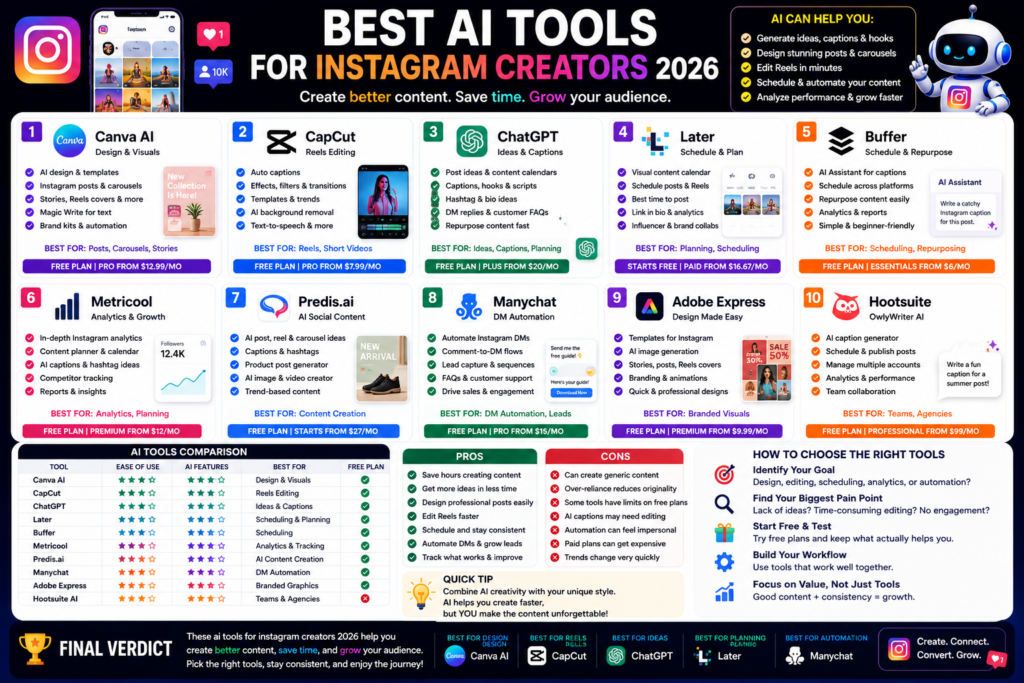
Best AI Tools for Instagram Creators 2026: Create Better Posts, Reels, and Carousels Faster Quick Answer:...
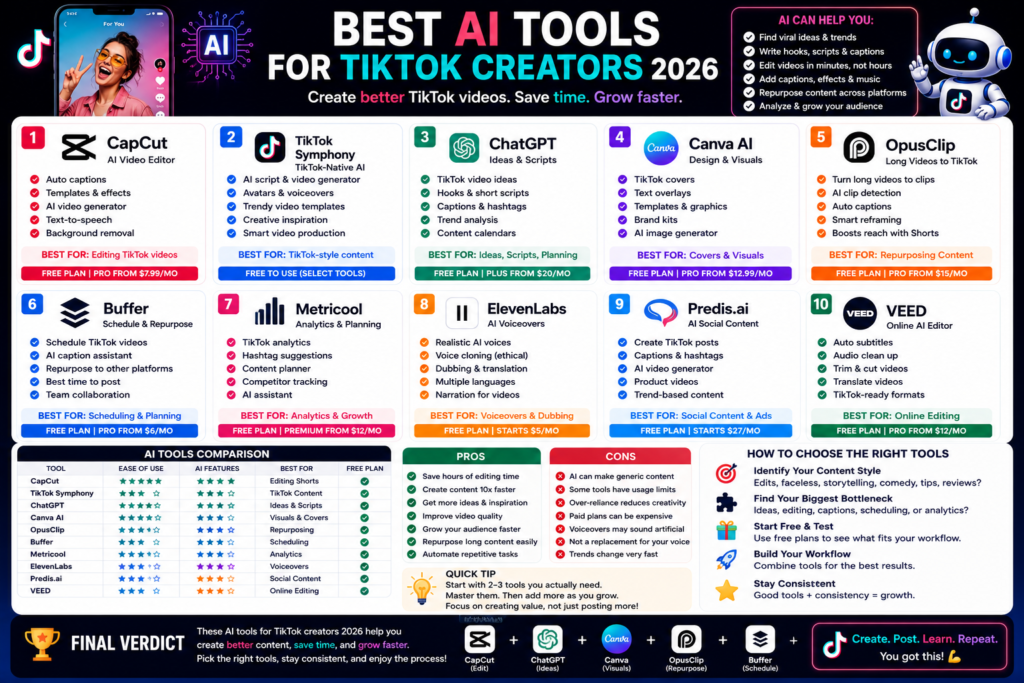
Best AI Tools for TikTok Creators 2026: Create Faster, Edit Smarter, and Grow Your Audience Quick...
Leave a Comment