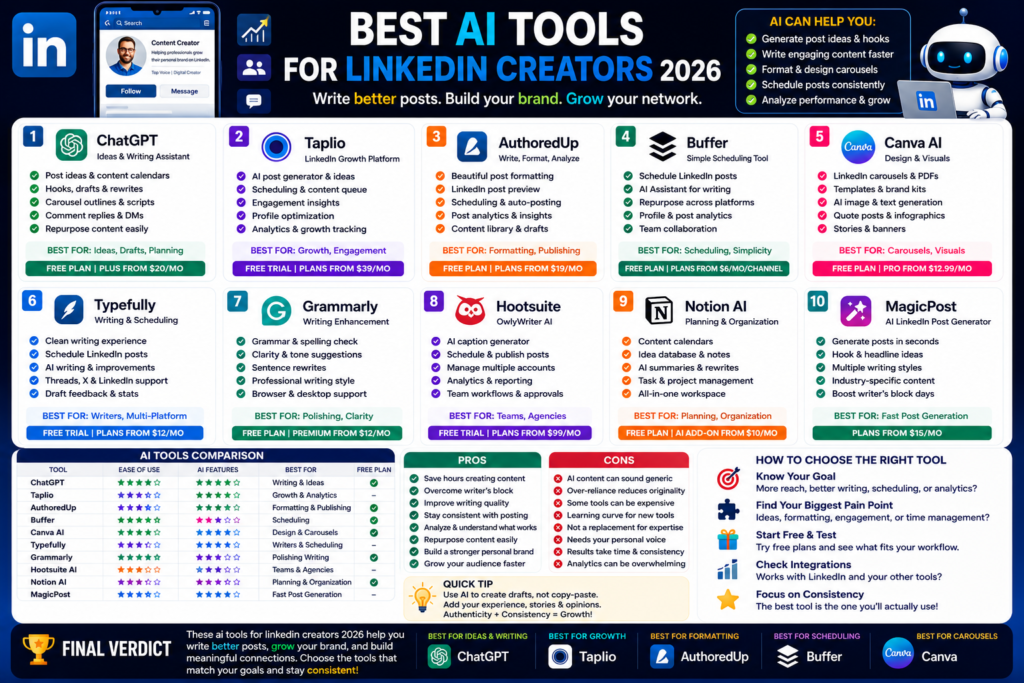
Best AI Tools for LinkedIn Creators 2026
Best AI Tools for LinkedIn Creators 2026: Write Better Posts, Grow Your Brand, and Save Time...
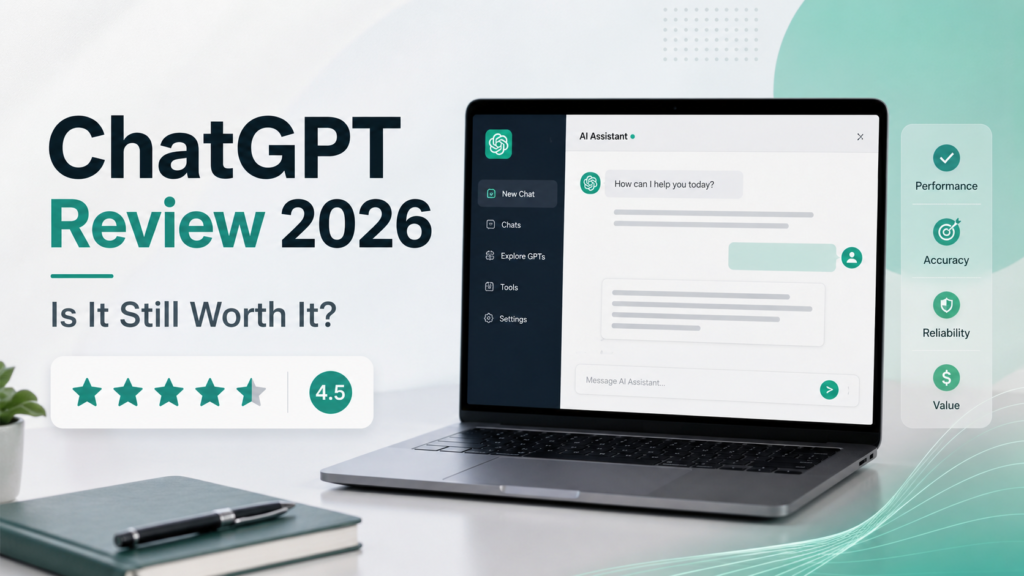
Quick Answer:
Yes, ChatGPT is still worth it in 2026 for most people. It’s one of the best AI chatbots for writing, research, coding, planning, studying, and daily productivity. The free plan is useful, but ChatGPT Plus gives a much better experience if you use AI every day.
ChatGPT review 2026 is one of the most searched AI topics right now, and honestly, it makes sense.
AI tools are everywhere. Some are useful. Some are overhyped. And some feel good for two days, then you never open them again.
ChatGPT is different.
In my experience, ChatGPT has become more than a basic chatbot. It now works like an AI writing assistant, AI research assistant, brainstorming partner, coding helper, study coach, and productivity tool.
OpenAI describes ChatGPT as a tool to “get answers, find inspiration, and be more productive,” and the current ChatGPT experience includes GPT-5.5 as a frontier model for professional work.
Here is the thing. ChatGPT is not perfect. It can still make mistakes. It can still sound too generic if your prompt is weak. But when used properly, it saves serious time.
For bloggers, freelancers, students, marketers, developers, and small business owners, ChatGPT is still one of the easiest AI tools to start with.
ChatGPT helps you create, edit, explain, research, summarize, and organize information.
You can use it for:
The good news is that you don’t need to be technical. You just type what you need.
ChatGPT is built by OpenAI.
OpenAI keeps updating ChatGPT regularly. That is one reason it still feels ahead of many ChatGPT alternatives. The product is not sitting still.
In 2026, ChatGPT has stronger models, better reasoning, image tools, research features, file uploads, and more business-focused options.
ChatGPT has changed a lot since the early days.
At first, most people used it for simple writing and quick answers. Now it can handle much deeper work.
This is still one of ChatGPT’s strongest areas.
You can ask it to write blog posts, fix grammar, rewrite paragraphs, improve tone, create email templates, or turn rough notes into clean content.
Honestly, I think ChatGPT is best when you don’t ask it to “write everything from scratch.” The better way is to give it your ideas and ask it to organize, improve, or expand them.
That makes the content feel more natural.
For example, you can use ChatGPT for:
If you run a blog like AI Daily Tool, ChatGPT can help you plan content faster.
ChatGPT is also useful for research.
You can ask it to explain topics in simple words, compare tools, summarize long documents, or create a pros and cons list.
The truth is, I would not blindly publish anything without checking facts. But for first drafts and research direction, it is very helpful.
OpenAI has also added stronger research and reasoning features over time. ChatGPT Plus includes access to Deep Research tools where available, along with file uploads and analysis.
ChatGPT is no longer only text.
In 2026, it supports image generation, image understanding, voice conversations, and file uploads depending on your plan. ChatGPT Plus includes voice conversations, image generation, file uploads and analysis, Deep Research where available, and Custom GPT creation and use.
That makes it more useful for real work.
For example, you can upload a PDF and ask for a summary. You can upload a spreadsheet and ask for insights. You can generate image ideas for a blog post. You can even use it to plan a presentation.
This is why many people now see ChatGPT as an AI productivity tool, not just a chatbot.
Pricing matters.
A tool can be amazing, but if the free plan is too limited or the paid plan is too expensive, people will move on.
The free plan is good for casual users.
You can ask questions, get writing help, brainstorm ideas, and use ChatGPT for basic tasks. For many beginners, the free version is enough.
But there are limits.
You may get lower usage limits, slower access during busy times, and fewer advanced features compared with paid users. Free users may also see certain experiences that paid users do not, depending on region and rollout.
For example, OpenAI’s release notes say ads began rolling out for Free and Go users in some countries, while Plus, Pro, Business, Enterprise, and Education plans do not have ads.
ChatGPT Plus is the most popular paid plan for individual users.
It costs $20/month, according to OpenAI’s Help Center. Plus gives enhanced access, priority access during high traffic, faster responses, higher GPT-5.5 limits, advanced reasoning models, voice, image generation, file uploads, Deep Research where available, and Custom GPTs.
I think ChatGPT Plus is worth it if you use ChatGPT every day.
If you only ask five questions a week, stay on free. But if you write content, code, study, research, or run a business, Plus can easily save more than $20 worth of time.
For teams, ChatGPT Business gives a shared workspace, admin controls, company tool connections, stronger security, and access to advanced models and tools. OpenAI says Business includes a secure shared workspace, admin roles, encryption, and data excluded from training by default.
There are also Pro options for heavier users.
OpenAI’s 2026 release notes mention Pro plan options, including a $100/month Pro plan for longer Codex sessions and a $200/month Pro plan for highest-usage users.
Most normal users do not need Pro. Plus is enough for writers, freelancers, students, and small business owners.
Let me explain this in a simple way.
ChatGPT is not magic. But it is very useful.
The quality depends on your prompt, your topic, and how much context you give it.
For writing, ChatGPT is strong.
It can create clean structure, improve clarity, and help you move faster. But the first draft can sometimes feel too polished or too general.
That is why I suggest using it like an editor, not just a writer.
Give it your rough ideas. Ask it to improve them. Add your own examples. Then edit the final version.
That gives you better content.
For facts, ChatGPT is better than before, but you should still verify important claims.
This is especially true for legal, medical, financial, and technical topics.
In 2026, ChatGPT can search the web in supported cases, analyze files, and explain complex topics. OpenAI’s release notes say GPT-5.5 Instant improves everyday answers across accuracy, clarity, conciseness, image understanding, STEM questions, and web search decisions.
Still, no AI chatbot should replace your own judgment.
ChatGPT is very helpful for coding.
Developers use it to explain bugs, write functions, clean up code, create documentation, and debug errors.
Is it always correct? No.
But it can save time, especially when you already understand the basics.
For beginners, it is like having a patient coding tutor. For experienced developers, it is more like a fast assistant.
Here is a simple comparison of ChatGPT with other popular AI tools in 2026.
| Tool | Best For | Free Plan | Paid Plan Value | Main Weakness |
| ChatGPT | Writing, research, coding, productivity | Yes | Very strong | Can still make mistakes |
| Claude | Long writing, natural tone, document work | Yes | Strong | Some features vary by region |
| Gemini | Google users, search, Workspace tasks | Yes | Good | Sometimes less consistent for writing |
| Perplexity AI | Research and sources | Yes | Good | Less creative than ChatGPT |
| Microsoft Copilot | Office users, work tasks | Yes | Good for Microsoft users | Best value inside Microsoft ecosystem |
Honestly, ChatGPT is still the best all-rounder.
Claude may feel better for long-form writing sometimes. Perplexity may be better for source-based research. Gemini can be great if you live inside Google tools.
But if you want one AI tool that does almost everything well, ChatGPT is hard to beat.
No ChatGPT review 2026 would be complete without talking about the good and bad sides.
ChatGPT has many strengths.
In my experience, the biggest benefit is speed. You can go from a blank page to a useful draft in minutes.
ChatGPT also has some downsides.
Here is the thing. Most problems come from expecting ChatGPT to do everything perfectly.
Use it as an assistant, and it works well. Use it as a replacement for your brain, and you’ll get lazy results.
ChatGPT is useful for a lot of people, but not everyone needs the paid plan.
Bloggers can use ChatGPT for outlines, title ideas, intros, FAQs, meta descriptions, and content updates.
For SEO, it can help you create topic clusters and draft article structures. But you should still do keyword research and editing manually.
It is a great AI writing assistant when used properly.
Students can use ChatGPT to explain topics, create study plans, make quizzes, summarize notes, and practice difficult concepts.
OpenAI also says ChatGPT can help students think through ideas, master complex concepts, and get feedback on drafts when used thoughtfully.
I would not use it to cheat. That is not smart long-term.
Use it to learn faster.
Small business owners can use ChatGPT for emails, customer replies, proposals, SOPs, marketing ideas, and planning.
Freelancers can use it for client messages, project outlines, Upwork proposals, content drafts, and research.
If you charge clients for your time, ChatGPT Plus can easily pay for itself.
You may not need ChatGPT if:
ChatGPT is powerful, but it still needs human direction.
Yes, ChatGPT is worth it in 2026 for most users. It is especially useful for writing, studying, coding, research, business tasks, and productivity. The free plan is good for light use, while ChatGPT Plus is better for daily users.
Yes, ChatGPT has a free plan. But paid plans offer better access, faster responses, higher limits, and more advanced features. ChatGPT Plus costs $20/month according to OpenAI.
ChatGPT Plus is OpenAI’s paid plan for individual users. It gives enhanced access to ChatGPT, priority access during busy times, faster replies, higher GPT-5.5 limits, advanced reasoning models, image generation, file uploads, voice, and more.
It depends. ChatGPT is better as an all-round AI chatbot. Claude can feel more natural for long writing and document-style work. For most people, ChatGPT is the better first choice because it has more features in one place.
No, ChatGPT should not fully replace good writers. It can help with drafts, ideas, editing, and structure. But real writers add judgment, emotion, examples, personal experience, and brand voice. The best results come from AI plus human editing.
So, is ChatGPT still worth it in 2026?
Honestly, yes.
After this ChatGPT review 2026, my simple opinion is this: ChatGPT is still one of the best AI tools for everyday users. It is not perfect, but it is practical. It helps you write faster, think better, research quicker, and organize work with less stress.
The free plan is good for beginners. ChatGPT Plus is better for serious users. Business plans make sense for teams that need admin controls, stronger security, and shared workspaces.
If you’re new to AI, start with the free version. Try it for emails, blog ideas, summaries, and planning. If you find yourself using it every day, upgrade to Plus.
And if you want more honest AI tool reviews, comparisons, and beginner-friendly guides, keep reading AI Daily Tool.
Best AI Tools for LinkedIn Creators 2026: Write Better Posts, Grow Your Brand, and Save Time...
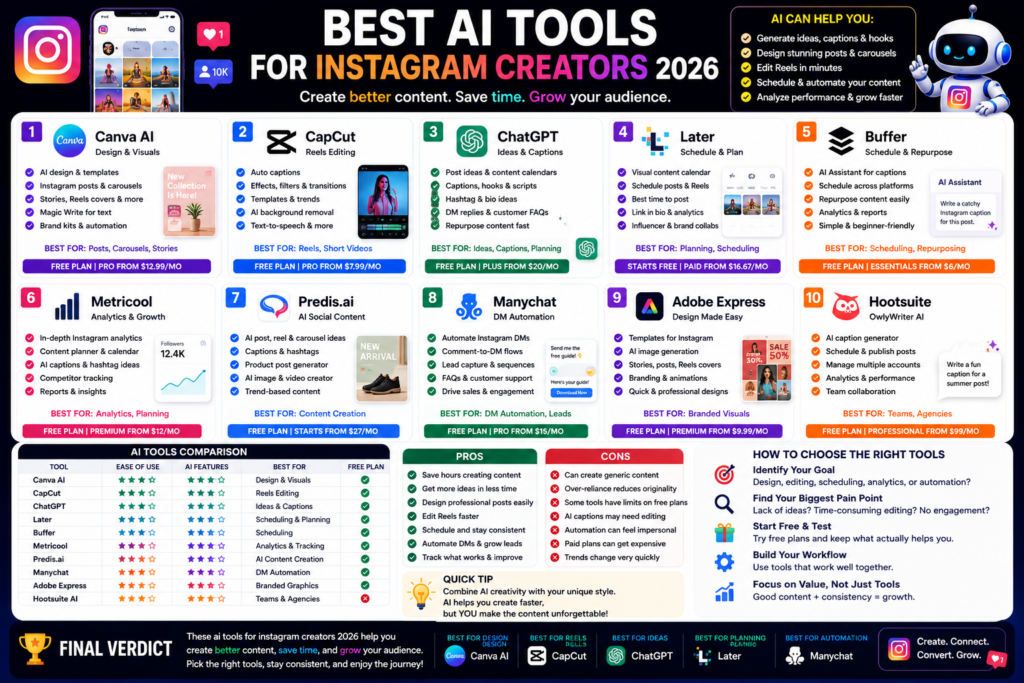
Best AI Tools for Instagram Creators 2026: Create Better Posts, Reels, and Carousels Faster Quick Answer:...
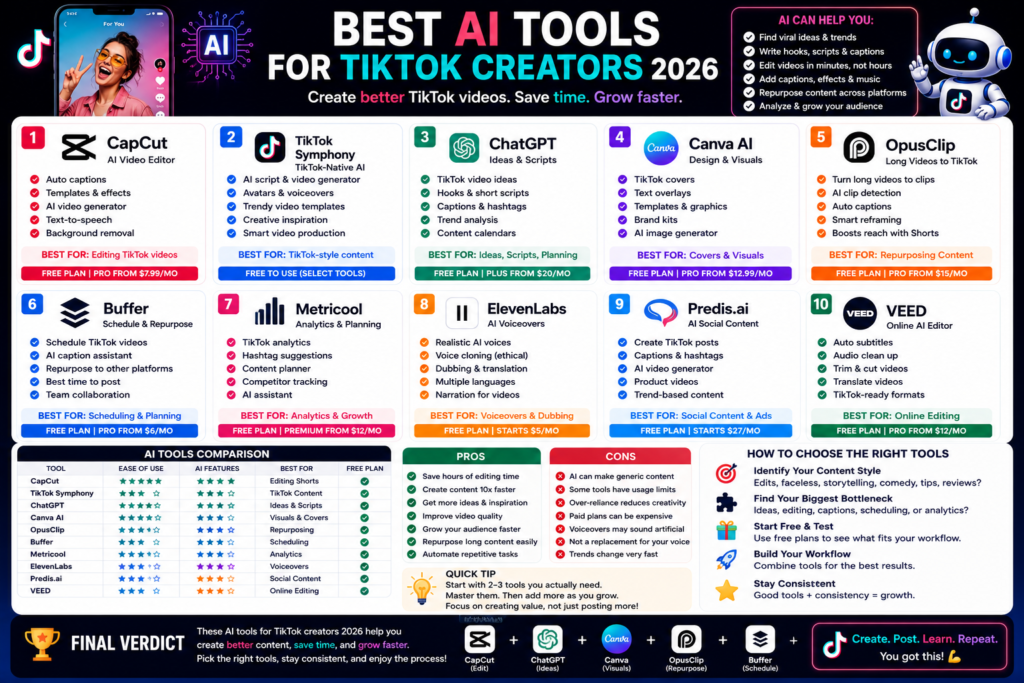
Best AI Tools for TikTok Creators 2026: Create Faster, Edit Smarter, and Grow Your Audience Quick...
Leave a Comment