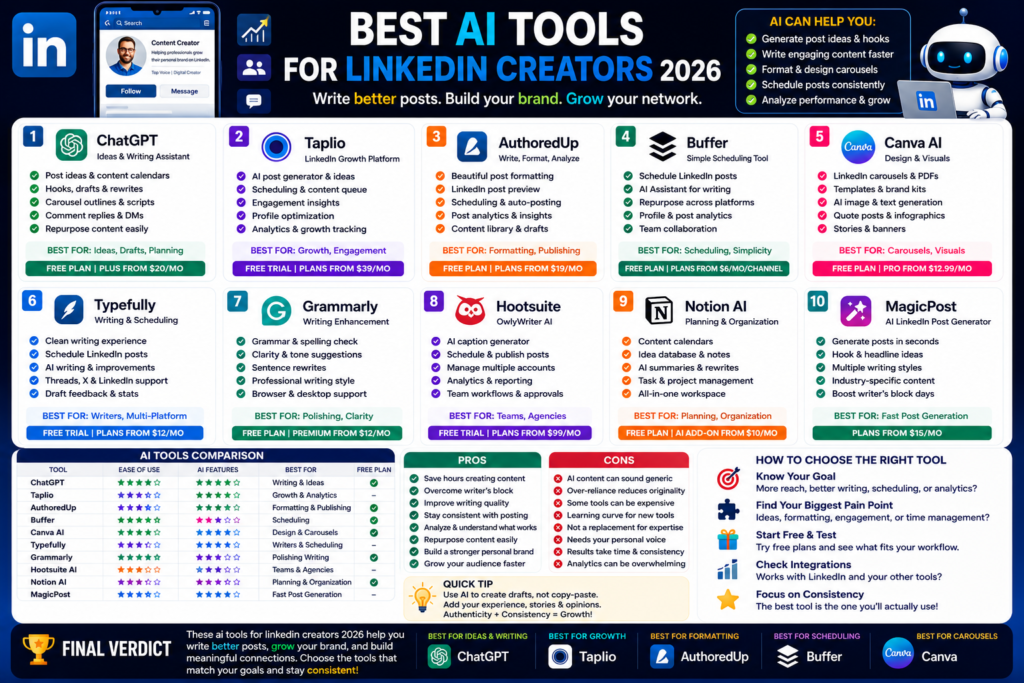
Best AI Tools for LinkedIn Creators 2026
Best AI Tools for LinkedIn Creators 2026: Write Better Posts, Grow Your Brand, and Save Time...
Quick Answer:
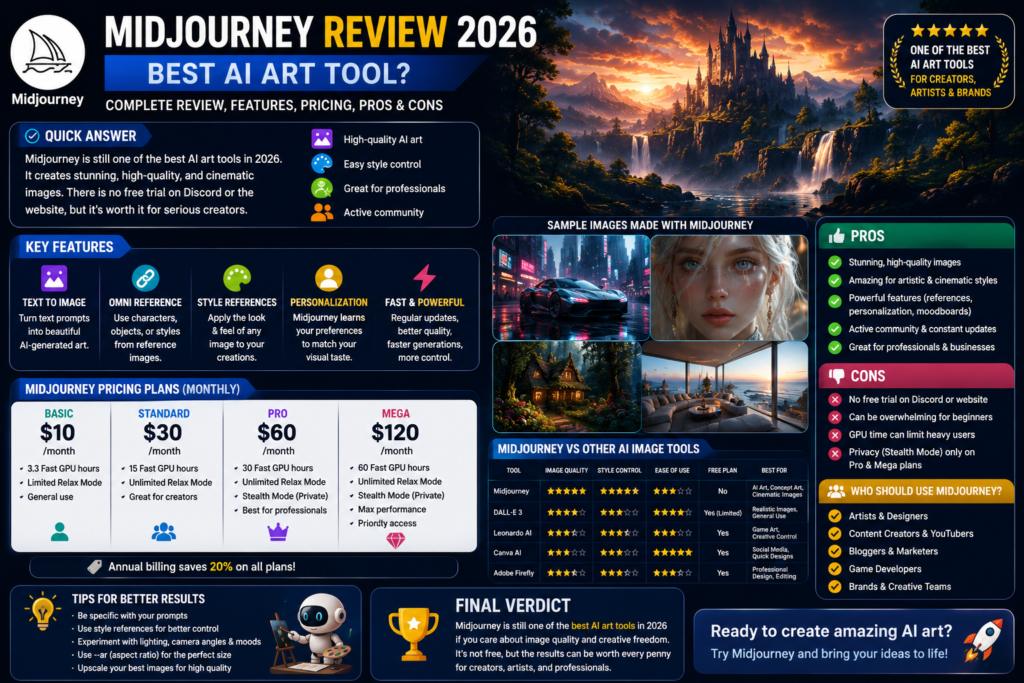
Midjourney is still one of the best AI art tools in 2026 if you care about beautiful, cinematic, high-quality images. It is not the best free option because there is no free trial on Discord or the Midjourney website, but its image quality is still excellent for artists, designers, creators, and brands.
Midjourney review 2026 is a useful topic because AI image generation has changed fast.
A few years ago, Midjourney felt like the obvious king of AI art. The images looked more artistic, more cinematic, and more polished than most other tools.
Now the competition is much stronger.
ChatGPT can generate images. Gemini can create visuals. Adobe Firefly is good for designers. Canva AI is easier for social media. Leonardo AI gives creators strong control.
But here is the thing.
Midjourney still has a special look.
In my experience, Midjourney is still one of the best tools for AI art, fantasy images, cinematic visuals, concept art, character design, product mockups, and high-end creative images.
It is not perfect. It is not free on its main website or Discord. It can feel confusing for beginners. But when it gets the prompt right, the results can look stunning.
Midjourney is made by Midjourney, an independent research lab.
The company describes itself as a community-funded research lab known for building beautiful AI models and exploring new creative tools.
That matters because Midjourney does not feel like a basic design app.
It feels more like a creative engine.
It is made for people who want to explore style, mood, lighting, composition, and visual imagination.
Midjourney turns text prompts into images.
You type what you want, and it creates visuals based on your prompt. You can also use image references, style references, personalization, moodboards, and other controls to shape the final result.
You can use Midjourney for:
Honestly, Midjourney is not always the fastest tool for simple business graphics.
But if you want something visually impressive, it is still very strong.
Midjourney has grown beyond simple text-to-image generation.
The biggest improvements are around control, style, references, personalization, and speed.
The main reason people use Midjourney is image quality.
Midjourney images often look polished right away. The lighting, atmosphere, textures, colors, and composition usually feel more artistic than many basic AI image tools.
That is why creators use it for:
In my opinion, Midjourney is still one of the best AI image generators when the final image needs to feel premium.
If you are making quick Canva posts, it may be overkill.
But if you want a visual that stops people scrolling, Midjourney is still a serious option.
Omni Reference is one of Midjourney’s most useful features.
It lets you put characters, objects, vehicles, or even non-human creatures from a reference image into your new Midjourney creations. Midjourney says Omni Reference works with V7 and can be combined with personalization, moodboards, stylize, and style references.
That is helpful if you want more consistency.
For example, you may want the same character in different scenes. Or the same product style across multiple visuals. Or the same object placed into different environments.
There are limits, of course.
Midjourney says Omni Reference costs 2x more GPU time than regular V7 images and is not compatible with some features like Vary Region, Pan, or Zoom Out.
Still, it is a powerful feature for creators.
Midjourney is very strong when it comes to style.
Its V7 Style Reference system helps users apply the look and feel of a reference image to new generations. Midjourney says the V7 style reference system is smarter at understanding image style and less likely to create unwanted subject leakage.
Let me explain that simply.
You can show Midjourney a visual style you like, then ask it to create a new image in that style.
That is useful for:
This is one of the reasons Midjourney feels more creative than many basic image tools.
Personalization is another useful Midjourney feature.
Midjourney describes personalization as a style assistant that learns what kind of aesthetics you like by looking at images you select or like. It then uses that information to create images tailored to your taste.
This is great if you want your images to feel more consistent.
Instead of starting from zero every time, Midjourney can learn your visual preferences.
For creators, this can be very helpful.
You may like clean editorial lighting. Or cinematic dark scenes. Or soft pastel colors. Or luxury product photography. Personalization helps move the output closer to your taste.
Pricing is one of the biggest things to understand before using Midjourney.
And honestly, this is where some users may stop.
No, Midjourney does not currently offer a free trial on Discord or the Midjourney website. Its official free trial page says a limited trial is available on the niji · journey app for iOS and Android, but not on Discord or midjourney.com.
That means Midjourney is not the best choice if you only want a free AI image generator.
If you want free options, try ChatGPT, Gemini, Canva AI, Adobe Firefly, Microsoft Designer, Ideogram, or Leonardo AI first.
But if you care about image quality and creative style, Midjourney may still be worth paying for.
Midjourney offers four subscription tiers: Basic, Standard, Pro, and Mega. The official plan page lists monthly prices at $10, $30, $60, and $120. Annual plans are cheaper per month because Midjourney offers a 20% discount when paying yearly.
Here is the simple breakdown:
| Plan | Monthly Price | Best For |
|---|---|---|
| Basic | $10/month | Beginners and light users |
| Standard | $30/month | Regular creators |
| Pro | $60/month | Professionals and privacy needs |
| Mega | $120/month | Heavy creative teams |
The Basic plan gives 3.3 hours of Fast GPU time per month. Standard gives 15 hours, Pro gives 30 hours, and Mega gives 60 hours.
Relax Mode matters if you generate a lot of images.
Midjourney says unlimited image generation with Relax Mode is available on Standard, Pro, and Mega plans. Basic does not include unlimited Relax Mode.
Stealth Mode is also important.
If you want your images and videos to stay private, Midjourney says Stealth Mode is only available on Pro and Mega plans.
So if you are using Midjourney for client work, brand concepts, or private commercial ideas, the Pro plan may make more sense.
This is the part most people care about.
Is Midjourney really better than other AI art tools?
The honest answer is: for certain styles, yes.
Midjourney is excellent for artistic images.
It is especially good at:
In my experience, Midjourney often gives results that feel more “designed” than basic AI images.
Even when the prompt is simple, the output can look dramatic and polished.
That is why many creators still prefer it for AI art.
Midjourney is not always the best tool for every image type.
If you need clean text inside an image, Ideogram may be easier.
If you need social media templates, Canva AI is better.
If you need brand-safe Adobe-style editing, Adobe Firefly may fit better.
If you need a simple blog thumbnail quickly, ChatGPT may be easier because you can talk through the image in a normal chat.
So Midjourney is not the best tool for everything.
It is best when image style and visual quality matter most.
Midjourney can create amazing images, but prompts still matter.
Bad prompt:
“Robot city.”
Better prompt:
“Cinematic futuristic robot city at sunrise, wide-angle view, soft fog, detailed architecture, dramatic lighting, realistic textures, clean composition.”
The better prompt gives better direction.
The truth is, Midjourney rewards people who enjoy experimenting. If you want one-click simple graphics, you may prefer Canva or Microsoft Designer.
But if you enjoy creative control, Midjourney is fun.
| Tool | Best For | Free Plan | Paid Value | Main Weakness |
|---|---|---|---|---|
| Midjourney | Premium AI art and cinematic visuals | No main free trial | Strong for artists | Paid only for main use |
| ChatGPT Images | Easy image generation and editing ideas | Yes, limited | Strong | Less “Midjourney style” |
| Adobe Firefly | Professional creative editing | Yes | Strong for Adobe users | Best inside Adobe workflow |
| Canva AI | Social media graphics | Yes, limited | Strong | Less artistic depth |
| Leonardo AI | Creative control and concept art | Yes | Strong | Can feel complex |
| Ideogram | Text inside images | Yes | Strong | Not always as cinematic |
Midjourney is still one of the best tools for pure visual beauty.
But it is not the best free tool. And it is not the easiest tool for simple business designs.
Midjourney has a lot of strengths.
In my experience, Midjourney’s biggest strength is the “wow” factor.
It can create images that look expensive.
Midjourney also has downsides.
Here is the thing.
Midjourney is not cheap if you only need a few basic images.
But if visuals matter to your work, it can be worth it.
Midjourney is not for everyone.
But for the right user, it is excellent.
Artists and designers should absolutely test Midjourney.
It is great for moodboards, concepts, experiments, and visual exploration.
You can use it to create ideas before building final work manually.
That makes it useful for:
I would not say Midjourney replaces a designer.
But it can speed up creative direction.
Bloggers and creators can use Midjourney for feature images, thumbnails, article visuals, and social media graphics.
For example, a blog about AI tools can use Midjourney to create futuristic tech graphics.
A travel blog can use it for concept-style destination visuals.
A YouTube creator can use it for dramatic thumbnail ideas.
Just remember, Midjourney is more creative than template-based. If you want clean text layouts, finish the design in Canva or Photoshop.
Marketing teams can use Midjourney for campaign concepts, ad visuals, product moodboards, and creative direction.
But if privacy matters, you should look at the Pro or Mega plan because Stealth Mode is only available there.
Brands should also check usage rights carefully before using generated images commercially.
Yes, Midjourney is worth it in 2026 if you need high-quality AI art, cinematic visuals, concept art, character designs, product-style images, or premium creative visuals. It is less worth it if you only need simple free graphics.
No, Midjourney does not currently offer a free trial on Discord or the Midjourney website. A limited trial is available through the niji · journey mobile app, according to Midjourney’s official free trial page.
Midjourney’s monthly plans are Basic at $10, Standard at $30, Pro at $60, and Mega at $120. Annual billing gives a 20% discount.
Midjourney is often better for artistic, cinematic, and stylized images. ChatGPT images can be easier for beginners because you can work conversationally. The best choice depends on whether you want premium art style or easier image workflow.
Midjourney says subscribers can use images and videos in just about any way, but companies making over $1 million in annual gross revenue must use the Pro or Mega plan. Always check the latest Terms of Service before using images for client or commercial work.
So, what is my honest take after this midjourney review 2026?
Midjourney is still one of the best AI art tools in 2026.
It is not the cheapest. It is not the best free option. It is not always the easiest tool for beginners. But when it comes to beautiful, cinematic, high-quality AI images, Midjourney is still hard to beat.
If you create visuals for blogs, brands, games, books, ads, social media, or creative projects, Midjourney is worth testing.
If you only need simple designs, start with Canva AI or ChatGPT first.
My advice is simple. Use Midjourney when image quality matters. Use Canva or ChatGPT when speed and simplicity matter.
And if you want more honest AI tool reviews like this midjourney review 2026, keep reading AI Daily Tool for simple comparisons, beginner guides, and practical recommendations.
Best AI Tools for LinkedIn Creators 2026: Write Better Posts, Grow Your Brand, and Save Time...
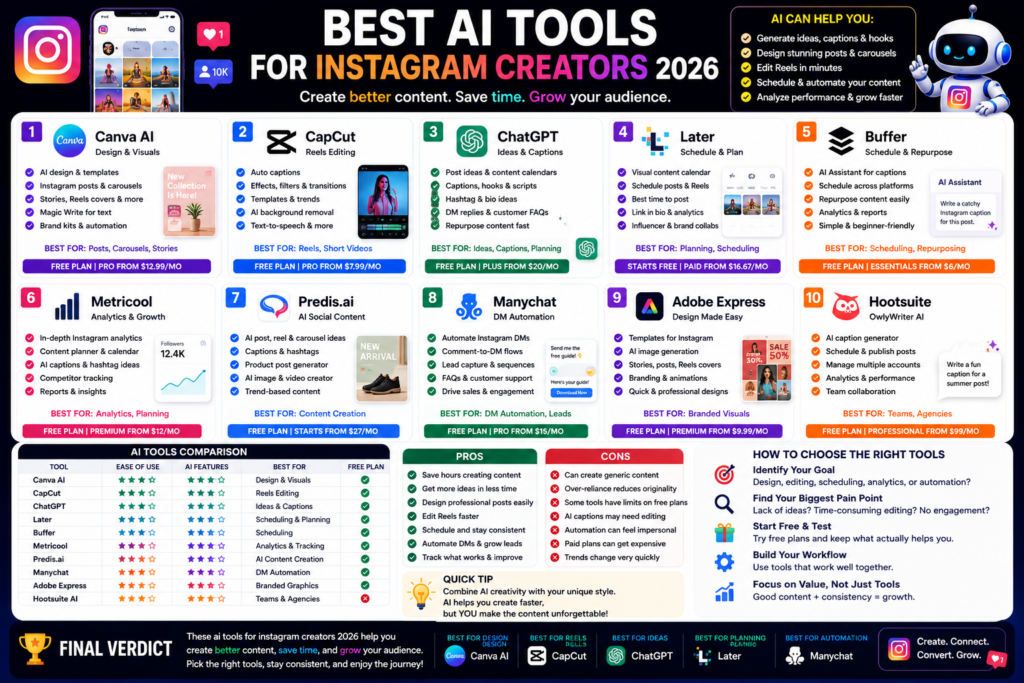
Best AI Tools for Instagram Creators 2026: Create Better Posts, Reels, and Carousels Faster Quick Answer:...
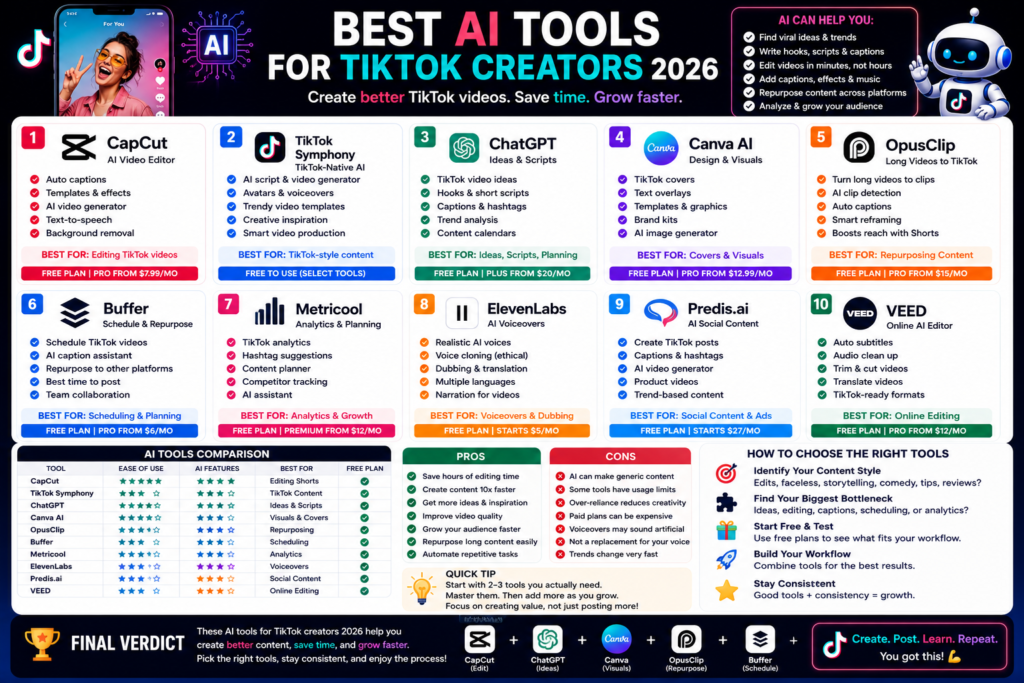
Best AI Tools for TikTok Creators 2026: Create Faster, Edit Smarter, and Grow Your Audience Quick...
Leave a Comment